
Printer Repair or replacement What's the best choice?
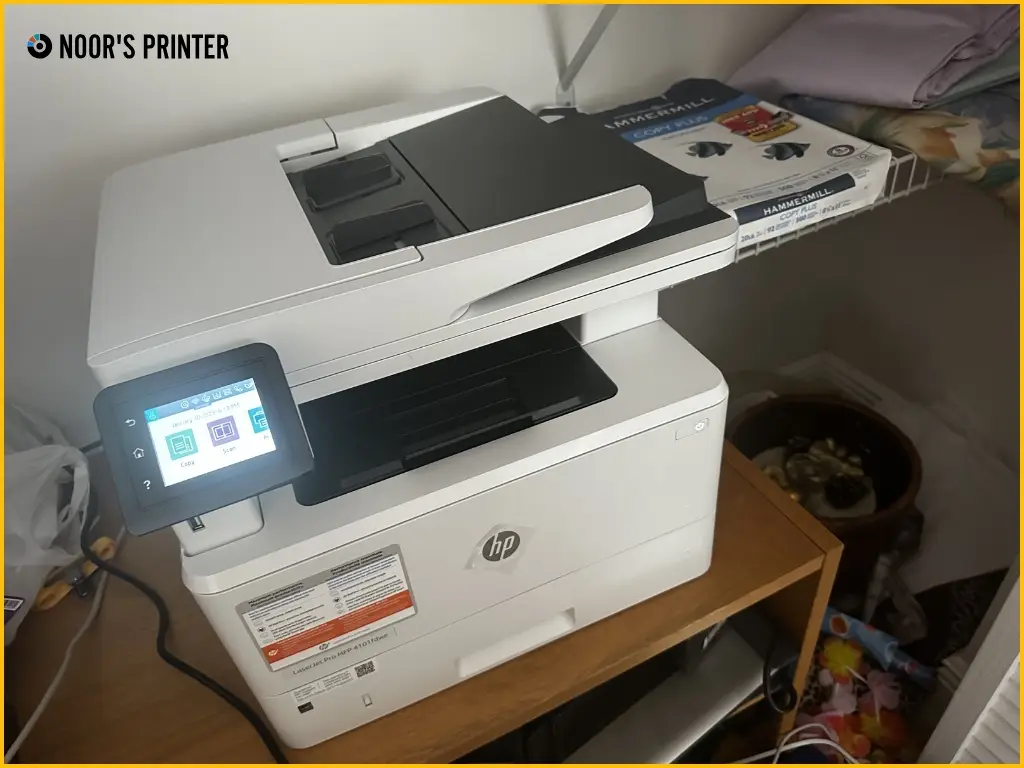
Is your printer giving you trouble? Whether it has paper jams, faded prints, or has stopped working completely, you need to decide whether to repair it or buy a new one.
Printers do not last forever, and while repairs can fix minor issues, replacing one might be a better long-term solution. This blog will cover cost, printer age, performance, environmental impact, and practical concerns to help you make the right choice.
Repairing a printer is ideal if it’s high-end, relatively new, or has a minor issue. However, replacing it is often better for older, low-quality models or when repair costs exceed the value of the printer.
Factors to Consider
Deciding whether to repair a printer largely depends on its age, the nature of the issue, and the repair cost relative to the price of a new device.
1. Cost Considerations:
Cost is often the biggest factor when deciding between repair and replacement. Here’s what to keep in mind:
- Repair Costs: Repair expenses include labor and parts, which can vary widely. If the printer is under warranty, repairs may be free or available at a reduced cost, making repair a more attractive option.
- Replacement Costs: The price of a new printer depends on the type (inkjet, laser) and features. A general rule of thumb is that if repair costs exceed 50-60% of a new printer’s price, replacement is often the better option.
- Surplus Supplies: If you have unused ink or toner cartridges specific to your current printer, repairing it might be more cost-effective. Switching to a new model could mean discarding these supplies, leading to unnecessary waste and expense.
2. Printer Age and Lifecycle Management
The lifespan of a printer plays a major role in determining whether it is worth repairing.
- Age of the Printer: Most printers last between 3 to 5 years, though some may function longer with proper maintenance. However, printers older than 7 years often become difficult and costly to repair due to the scarcity of replacement parts.
- End of Life (EOL): Printers reach the end of life when maintaining them becomes impractical. If your printer no longer supports new software updates or experiences frequent hardware failures, it may be time to replace it.
- Availability of Parts and Support: If the manufacturer has discontinued your printer model, finding compatible parts can be challenging and expensive. In such cases, replacing the printer is usually the better choice.
3. Performance and Reliability Assessment
The frequency and severity of breakdowns can indicate whether a printer is worth keeping.
- Frequency of Breakdowns: If your printer breaks down more than three times a year, it may have deeper underlying issues that signal it’s time for a replacement.
- Nature of the Problem: Minor issues like paper jams and connectivity glitches can usually be fixed easily. However, major problems like print head failure or damaged internal components may be too costly to repair.
- Performance Degradation: Slow printing speeds, faded colors, or streaky prints can indicate that your printer is nearing the end of its useful life. If performance is consistently declining, it may be best to invest in a new model.
- Usage and Demand: If you frequently use your printer beyond its intended capacity (e.g., using a home printer for high-volume office printing), frequent issues may arise. In such cases, upgrading to a more robust model is a smarter long-term solution
4. Environmental Impact
Sustainability is an important factor in the repair vs. replace debate.
- Sustainability of Repairing vs. Replacing
Repairing your printer extends its lifespan, reducing electronic waste and the environmental impact of manufacturing new devices. However, if a printer is inefficient and consumes excessive ink or power, replacing it with an energy-efficient model may be the greener choice in the long run.
5. Practical Considerations
Beyond cost and performance, practical aspects like convenience and security also matter.
- Time and Convenience: Printer repairs can take time, especially if specific parts need to be ordered so you may need to rent a printer. If you rely heavily on your printer for work, a replacement may be the faster solution.
- Compatibility with Current Systems: Ensure your printer is compatible with your operating system and software. Older printers may not support new systems like Windows 11 or macOS Ventura, making them difficult to use.
- Security Concerns: Older printers lack modern security features, making them more vulnerable to cyber threats. Businesses handling sensitive information should consider upgrading to models with secure printing, encryption, and two-factor authentication
Understanding Common Printer Problems
Before deciding, it helps to understand the most common printer issues and their severity:
|
Issue |
Possible Cause |
Repair or Replace? |
|
Paper Jams |
Misaligned paper, dirty rollers |
Repair – Usually an easy fix |
|
Faded or Blurry Prints |
Low ink, clogged printhead |
Repair – Cleaning or replacing ink solves it |
|
Slow Printing Speed |
Overloaded memory, outdated drivers |
Repair – Adjust settings or update software |
|
Connectivity Issues |
Weak Wi-Fi, driver errors |
Repair – Restart or reinstall drivers |
|
Frequent Error Messages |
Hardware failure, worn-out parts |
Replace – If errors persist despite troubleshooting |
|
Strange Noises or Overheating |
Mechanical failure, aging components |
Replace – Hardware breakdown may be costly |
Minor problems like paper jams or slow speeds can often be fixed with simple maintenance. However, recurring errors, hardware failures, or degraded performance may indicate it’s time for a replacement.
Making the Decision: When to Repair and When to Replace
Deciding whether to repair or replace a printer depends on factors like cost, age, and performance. The table below helps you determine when a repair is worthwhile and when a replacement is the better choice.
|
When to Repair |
When to Replace |
|
The printer is less than five years old. |
Repair costs exceed 50% of a new printer’s price. |
|
It is under warranty or has low repair costs. |
The printer is over seven years old and parts are hard to find. |
|
The issue is minor (paper jams, software glitches, etc.). |
It experiences frequent breakdowns (three or more times a year). |
|
You have surplus ink or toner that would go to waste. |
It lacks compatibility with new software or security features. |
|
You prefer an eco-friendly solution that reduces e-waste. |
Its performance has significantly degraded (slow, poor-quality prints). |
When to Call a Printer Expert
While some printer issues can be resolved with basic troubleshooting, certain problems require professional expertise. Knowing when to call a printer service expert can save time, prevent further damage, and ensure your printer is running efficiently.
Signs You Need Professional Assistance
- Recurring Error Messages: If your printer displays the same error message despite multiple troubleshooting attempts, an expert can diagnose deeper issues.
- Frequent Paper Jams: Occasional jams are normal, but repeated jamming could indicate worn rollers, alignment problems, or internal hardware failure.
- Poor Print Quality: Faded prints, streaks, or smudges that persist even after changing cartridges or cleaning the printhead may signal a mechanical or software issue.
- Connectivity Problems: If your printer constantly struggles to connect to Wi-Fi, networked computers, or mobile devices, a professional can check for firmware issues or router incompatibilities.
- Unusual Noises or Smells: Grinding noises, clicking sounds, or a burning smell could indicate a failing motor or overheating components, which require immediate attention.
- Ink or Toner Leaks: Leaks inside the printer can cause internal damage and lead to poor-quality prints. An expert can safely clean and repair the affected parts.
Final Thoughts
When deciding whether to repair or replace a printer, consider its cost, age, print volume, performance, and environmental impact. If repairs are affordable and the printer still meets your needs, keeping it makes sense. But if maintenance costs keep rising, print quality is poor, or the printer is outdated, replacing it may be the smarter long-term choice.