Printer Fuser Error? 7 Warning Signs, Causes and Repair Solutions
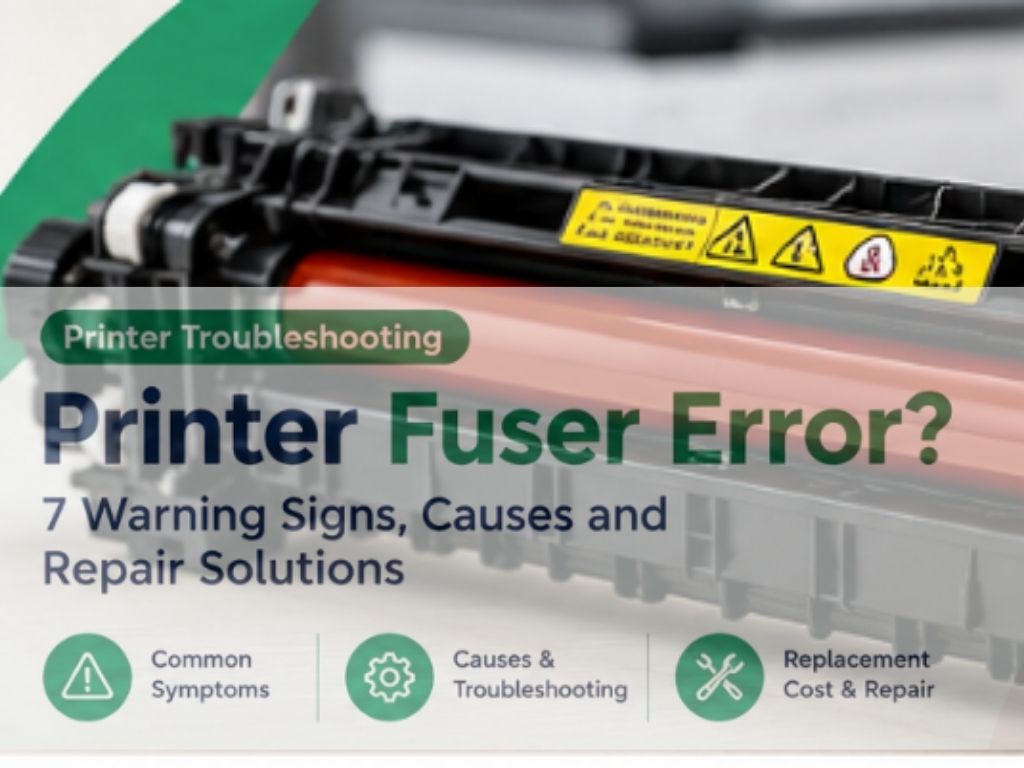
A printer fuser unit plays a critical role in laser printing. It uses heat and pressure to bond toner powder to paper, producing text and images that remain fixed on the printed page.
When the fuser develops a fault, your laser printer may display an error message, stop printing, produce pages with toner that rubs off, or fail to complete print jobs.
A fuser problem can interrupt office operations, especially when a business relies on its printer for invoices, contracts, reports and other important documents.
The good news is that not every print-quality problem means the fuser needs replacement. Understanding the symptoms, identifying the correct cause and checking the manufacturer’s diagnostic instructions can help you avoid unnecessary repairs.
In this guide, we explain seven common warning signs of printer fuser failure, what causes fuser problems, which troubleshooting steps are safe, and when professional repair may be necessary.
Table of Contents
What Is a Printer Fuser Unit?
A fuser unit is a component inside a laser printer or multifunction laser printer. Its purpose is to permanently bond toner to the paper after the toner has been transferred onto the page.
The fuser typically contains a heating element and rollers or a film assembly that apply the required heat and pressure. The exact design depends on the printer model.
Without proper fusing, toner may remain loose on the paper, images may smudge, or the printer may stop a job and report an internal error.
Fuser units are not the same as toner cartridges or drum units. Each component has a different function, and replacing the wrong part may not resolve the problem.
How Does a Printer Fuser Work?
Laser printing involves several stages. After an image is formed and toner is transferred to the paper, the sheet passes through the fuser assembly.
The fuser applies controlled heat and pressure to bond the toner to the paper surface. The paper then exits the printer with the printed image fixed in place.
If the fuser cannot reach or maintain the required operating conditions, the printer may detect a fault or produce poor print quality.
The fuser is a high-temperature component. Internal inspection and replacement should be performed only by people trained and authorised to service the specific equipment.
7 Warning Signs of Printer Fuser Failure
1. Printer Displays a Fuser Error
One of the clearest warning signs is an error message referring to the fuser, heating system or internal temperature.
Depending on the printer, the message may indicate a temperature problem, a heating fault or another condition detected by the printer’s monitoring system.
What to do:
- Record the complete error message or code.
- Identify the exact printer model.
- Consult the manufacturer’s support documentation.
- Follow the specified shutdown and troubleshooting instructions.
- Arrange professional diagnosis if the error persists.
Do not assume that every internal error is a fuser failure. A technician may need to distinguish between the fuser, its sensors, power supply and related circuitry.
2. Toner Rubs Off the Printed Page
If toner appears loose or rubs off easily after printing, the toner may not have bonded properly to the paper.
Possible causes include a fuser problem, unsuitable paper, incorrect media settings or a toner-related issue.
How to investigate:
- Confirm that the paper type is supported by the printer.
- Check that the paper setting matches the media being used.
- Print a test page using ordinary, manufacturer-recommended paper.
- Compare the results with the printer’s usual output.
- If the problem continues, arrange further diagnosis.
Avoid touching internal hot components or attempting to test the fuser by opening the printer while it is operating.
3. Repeated Smudging or Poorly Fixed Print
Smudging can occur when toner does not bond correctly to the paper. However, smudging alone does not prove that the fuser is defective.
Other potential causes include damaged consumables, unsuitable media, contamination or an imaging-system problem.
Recommended action:
Check whether the issue occurs on every page or only with a particular paper type. Review the media settings and consult the manufacturer’s troubleshooting guidance.
If the toner consistently fails to adhere to suitable paper, a technician can determine whether the fuser or another component is responsible.
4. Printer Stops During Warm-Up
Laser printers generally require the fuser to reach a controlled operating temperature before normal printing can begin.
If the printer repeatedly stops during warm-up or displays a heating-related error, it may be detecting a problem with the heating system.
Potential causes include a failed heating element, temperature sensor problem, electrical fault or other internal malfunction.
What to do:
Record the error and follow the manufacturer’s instructions. If the printer repeatedly fails to initialise, do not continue restarting it in an attempt to force it to operate.
Persistent heating faults require qualified diagnosis.
5. Wrinkled or Damaged Paper
Wrinkled paper can sometimes be associated with a fuser or paper-path problem. However, it may also result from damp paper, damaged rollers, incorrect paper loading or other mechanical issues.
Check these points:
- Is the paper dry and stored correctly?
- Is the paper type supported by the printer?
- Does the problem occur with all paper sizes?
- Are there visible obstructions in accessible paper paths?
- Does the printer display an additional error?
If paper repeatedly emerges wrinkled or damaged, professional inspection may be needed to identify the responsible component.
6. Repeated Paper Jams Near the Output Area
Paper can become stuck as it travels through the printer’s internal paper path, including the area around the fuser and output rollers.
A jam in this area does not automatically indicate a failed fuser. Incorrect media, worn rollers, paper scraps and mechanical problems can produce similar symptoms.
Recommended steps:
- Follow the manufacturer’s paper-jam removal instructions.
- Switch off the printer if directed.
- Allow hot components to cool as specified.
- Remove only paper that is safely accessible.
- Seek professional help if paper remains trapped around internal hot components or the jams recur.
Never force paper out of the printer, as this can damage internal components.
7. Recurring Internal Errors or Unexpected Shutdowns
Repeated internal errors may indicate that the printer is detecting a fault during its operating cycle.
The fuser is one possible cause, but the actual problem may involve a sensor, electrical connection, power system or another internal component.
If the printer repeatedly stops working after warm-up or produces the same error after the manufacturer’s recommended troubleshooting steps, record the code and arrange professional diagnosis.
A persistent internal fault should not be cleared repeatedly without identifying its cause.
What Causes Printer Fuser Failure?
Fuser assemblies experience heat and mechanical wear during normal operation. Over time, some components may deteriorate and eventually require service or replacement.
Common contributing factors include:
Normal Wear and Tear
Fuser assemblies have a rated service life that varies by printer model, design and usage. High-volume printing can bring a component to its maintenance threshold sooner.
Unsupported Paper or Media
Paper that does not meet the printer’s specifications can affect feeding and fusing. Specialty labels, envelopes and thicker media may require specific settings and supported media types.
Incorrect Print Settings
Selecting the wrong media type or using settings unsuitable for the loaded paper can contribute to poor print results.
Environmental Conditions
Unsuitable storage conditions, humidity and contaminated paper can affect print quality and paper handling. Follow the printer manufacturer’s recommendations for operating conditions and paper storage.
Electrical or Sensor Problems
A heating error may be caused by a sensor, electrical connection or control-system problem rather than a mechanically worn fuser alone.
Delayed Maintenance
Ignoring recurring error messages or failing to follow the manufacturer’s maintenance guidance may lead to extended downtime or further complications.
Correct diagnosis is important because the same symptom can have several different causes.
How to Troubleshoot a Printer Fuser Error
Before arranging a replacement, follow these safe preliminary checks.
Step 1: Record the Error Message
Write down the complete code or message shown on the printer. Include the manufacturer and exact model number.
Step 2: Check the Official Documentation
Search the manufacturer’s support website for your specific model and error. Follow the recommended instructions rather than relying on generic code lists.
Step 3: Check the Paper Type
Confirm that the paper is compatible with the printer and that the media settings match the paper being used.
Step 4: Inspect Accessible Areas
Check for paper jams or obstructions in areas identified in the user manual. Do not disassemble the fuser or reach into hot internal assemblies.
Step 5: Restart Only if Recommended
A normal restart may clear some temporary faults, but persistent heating or internal hardware errors should not be repeatedly reset.
Step 6: Request Professional Diagnosis
If the error persists, a technician can inspect the fuser assembly and related components using the appropriate service procedures.
The purpose of these checks is to identify useful diagnostic information, not to prove that the fuser needs replacement without further inspection.
Can a Printer Fuser Be Repaired?
Whether a fuser can be repaired depends on the printer model, the failed component, the manufacturer’s service procedures and the availability of replacement parts.
Some faults require replacement of the complete fuser assembly. In other situations, a technician may identify a related component or problem elsewhere in the printer.
The decision should take into account:
- The exact cause of the fault
- Availability of compatible parts
- The printer’s age and condition
- Labour and replacement-part costs
- Expected future printing volume
- Warranty or service-contract coverage
For business printers, the total cost of repair should be compared with the cost and reliability of replacement equipment.
A proper diagnosis can help avoid replacing a fuser when another component is responsible.
Printer Fuser Replacement Cost in the UAE
The cost of replacing a printer fuser in the UAE varies significantly according to the printer model and the part required.
Factors that affect the final quotation include:
- Printer brand and model
- Original equipment manufacturer versus compatible replacement parts
- Availability of the fuser assembly
- Labour and diagnostic charges
- Whether additional components have failed
- Warranty and maintenance-contract coverage
There is no single reliable price that applies to every printer fuser. A small office printer and a high-volume business multifunction printer may use very different assemblies.
Before approving a repair, request a quotation that identifies the replacement part, labour, any additional repairs and applicable warranty.
If your printer displays a fuser error, consult the relevant service provider for a model-specific assessment and quotation.
For assistance with printer troubleshooting and repair in the UAE, visit PrinterService.ae to enquire about available services.
How to Extend the Life of a Printer Fuser
Although fuser assemblies eventually experience wear, suitable operating practices can help reduce avoidable printing problems.
Use Compatible Paper
Use paper and specialty media that meet the manufacturer’s specifications. Avoid damaged, damp or unsuitable media.
Select the Correct Media Settings
Choose the appropriate paper type and size in the printer settings, particularly when printing on supported labels, envelopes or heavier paper.
Keep the Printer’s Paper Path Clear
Follow the maintenance instructions for accessible areas and remove paper jams carefully. Do not use unapproved tools or cleaning products inside the printer.
Follow Manufacturer Maintenance Guidance
Pay attention to maintenance messages and service recommendations. Do not reset maintenance counters without performing the required service.
Investigate Recurring Errors Early
Repeated heating warnings, paper jams or poor toner adhesion should be investigated rather than ignored.
Arrange Preventive Maintenance
For businesses that depend on daily printing, scheduled maintenance can help identify worn components and reduce unexpected downtime.
When Should You Contact a Printer Repair Technician?
Consider professional assistance if:
- A fuser or heating-system error persists.
- Toner repeatedly fails to adhere to suitable paper.
- Paper jams recur around internal components.
- The printer stops during warm-up.
- The same internal error returns after the recommended checks.
- You are unsure whether the fuser, sensor or another component has failed.
A qualified technician can identify the fault, confirm parts compatibility and provide a repair quotation.
For office printers, timely diagnosis can help minimise downtime and prevent unnecessary replacement of components.
If your laser printer is displaying a fuser error, visit PrinterService.ae to enquire about printer repair and spare-parts support in the UAE.
When requesting assistance, provide the printer model, error code, symptoms and any troubleshooting already completed.
Conclusion
A printer fuser is essential to the laser printing process because it bonds toner to paper using heat and pressure. When the fuser or a related component develops a fault, the printer may display a heating error, stop during warm-up or produce pages with poorly fixed toner.
The best approach is to record the exact error, confirm the printer model, check the manufacturer’s instructions and arrange professional diagnosis when the fault persists.
Do not assume that every smudged page or internal error requires a new fuser. Accurate diagnosis helps identify the correct repair and avoid unnecessary costs.
If your office or home laser printer continues to display a fuser error, visit PrinterService.ae to enquire about printer repair and spare-parts services in the UAE.