What Is a Printer Drum and When Should You Replace It?
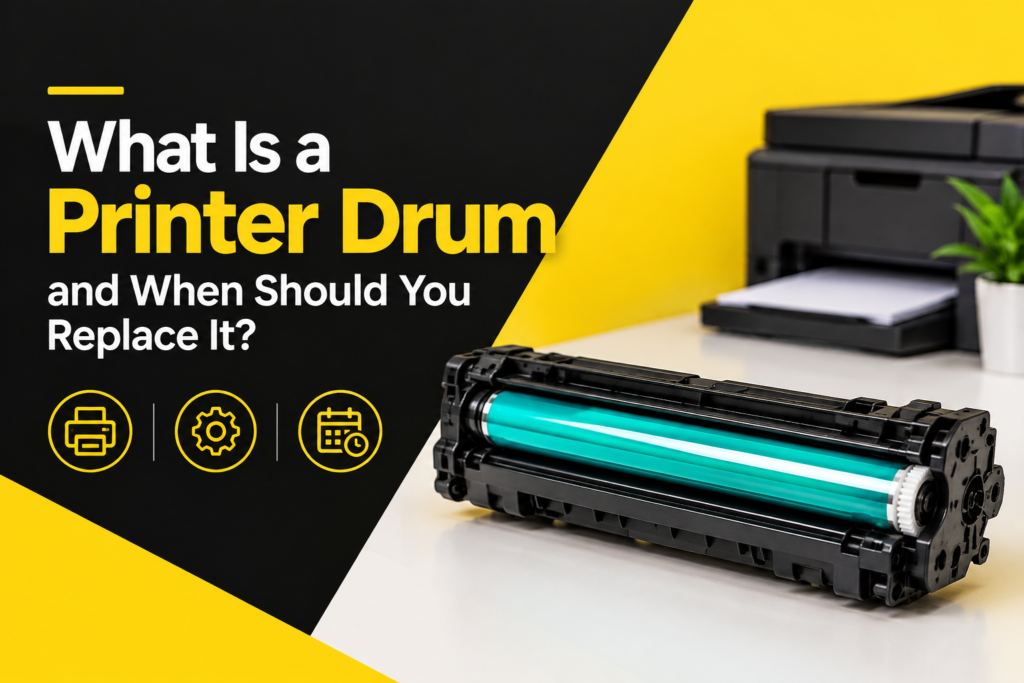
If your printed pages have started coming out streaky, faded, or covered in repeating spots, the problem might not be your toner or ink cartridge at all it could be your printer drum. Also known as an imaging drum, drum unit, or photoconductor drum, this component is one of the most overlooked parts of a laser printer, yet it plays a critical role in producing every single page you print. Most people replace toner without a second thought but have never even opened the panel to check the drum, simply because they don’t know it exists as a separate part.
In this guide, we’ll break down exactly what a printer drum does, how it differs from a toner cartridge, the warning signs that it needs replacing, how long you can expect one to last, and practical ways to extend its lifespan before you need a replacement.
What Is a Printer Drum?
A printer drum sometimes called an imaging drum, drum cartridge, drum unit, or photoreceptor drum is a cylindrical component inside a laser printer that’s coated with a photosensitive (light-reactive) material. During the printing process, the drum receives an electrostatic charge and is exposed to a laser that draws the image or text you want printed, pixel by pixel, across the surface of the cylinder.
Toner particles are then attracted to the charged areas of the drum through static electricity and transferred onto the paper, where heat and pressure from the fuser unit bond them permanently in place. The drum then gets discharged and cleaned before the entire cycle repeats for the next page.
In short: the toner cartridge holds the powder, but the imaging drum is what actually forms the image before it ever touches the page. Without a functioning drum, no amount of fresh toner will produce a clean, accurate print which is why drum problems are so often mistaken for toner problems.
How a Printer Drum Actually Works
It helps to understand the mechanics behind the term “photoconductor,” since it explains why drums degrade over time in the first place. The drum’s surface is coated with a special material that behaves like an insulator in the dark but conducts electricity when exposed to light. A charging roller (or corona wire, in older models) applies a uniform electrical charge across the drum’s surface. A laser then selectively discharges specific points on the drum, based on the text or image data sent from your computer, effectively “drawing” an electrostatic map of the page.
Charged toner particles are drawn to the discharged areas, much like static cling, forming a visible image on the drum itself before it’s rolled directly onto the paper. Because this process happens through physical exposure and electrical charging thousands of times over the drum’s life, the coating gradually wears down which is exactly why drums, unlike some other printer parts, are considered a consumable rather than a permanent fixture.
Printer Drum vs. Toner Cartridge: What's the Difference?
This is one of the most common points of confusion, so it’s worth clarifying clearly:
- Toner cartridge: Contains the powdered ink (toner) that gets transferred onto the page. This is a consumable that typically needs replacing every few thousand pages, depending on print volume and coverage.
- Drum unit (imaging drum): The component that transfers the toner onto the paper using light and static charge. It lasts significantly longer than toner often three to five times longer but it isn’t permanent and will eventually need replacing on its own schedule.
Some printers combine the toner and drum into a single all-in-one cartridge, meaning you replace both together whenever toner runs low, regardless of how much life is left in the drum. Others especially many Brother, Samsung, and select HP models use a separate drum unit and toner cartridge, letting each be replaced independently. This separated design tends to be more cost-effective over time, since you’re not discarding a perfectly good drum every time you run out of toner.
Knowing which setup your printer uses will determine how you diagnose print quality issues, and it’s worth checking your printer’s manual or model number if you’re not sure which category it falls into.
Signs Your Printer Drum Needs Replacing
A worn or damaged imaging drum shows up in your printed output in fairly distinctive, recognizable ways. Watch for:
- Repeating marks or spots: If the same smudge, line, or dot appears at consistent intervals down the page often every few inches it’s a classic sign of a worn drum unit. The damaged spot on the cylinder repeats with every rotation, creating a predictable pattern.
- Faded or inconsistent print: Uneven toner distribution, especially in bands, patches, or one side of the page consistently lighter than the other, often points to a drum losing its ability to hold an even electrostatic charge.
- Ghosting: Faint duplicate images of previously printed content appearing elsewhere on the page is a telltale drum issue, caused by residual charge that wasn’t fully cleared from the previous print cycle.
- Streaks or vertical lines: Scratches or wear on the drum’s surface can cause thin lines running the entire length of the page, sometimes appearing as fine hairline marks that are easy to miss at first glance.
- Blank or partially blank pages: In more advanced wear, the drum may fail to hold a charge at all in certain areas, leaving parts of the page completely untouched by toner.
- Background haze or gray tint: A worn drum sometimes struggles to fully discharge non-printed areas, leaving a faint gray shading across what should be blank white space.
- Error messages: Many printers display a “replace drum,” “drum life low,” or similarly worded notification once the unit approaches its rated page count a direct cue that it’s time to plan for a replacement rather than wait for total failure.
How Long Does a Printer Drum Last?
Most imaging drums are rated for somewhere between 12,000 and 60,000 pages, depending on the printer model, drum quality, and manufacturer specifications significantly more than the toner cartridges they work alongside, which is exactly why they’re often overlooked as a separate maintenance item. However, actual real-world lifespan depends heavily on usage patterns and conditions:
- Print volume and frequency: Drums used constantly in high-volume office environments often wear differently per page than those in light, intermittent home or small-office use, since consistent cycling can affect wear patterns.
- Print settings: Frequent use of darker print density settings, high-resolution graphics, or heavy-coverage documents can accelerate wear on the drum’s surface.
- Paper quality and type: Rough, dusty, recycled, or low-quality paper sheds more fibers and debris, which accumulates on the drum surface and can cause premature scratching or contamination.
- Storage and handling: Exposure to direct light, improper installation, humidity, or physical scratches (even fingerprints from careless handling) can shorten a drum’s usable life dramatically, sometimes cutting its rated lifespan significantly short.
How to Extend Your Printer Drum's Lifespan
A little care goes a long way toward getting the most pages out of a drum unit before a replacement becomes necessary. Consider these practical habits:
- Handle with care: Avoid touching the drum’s photosensitive surface directly with fingers oils and residue from skin can cause permanent, unrepairable print defects.
- Keep it out of direct light: Extended exposure to sunlight or bright indoor lighting degrades the photoconductive coating faster than normal use alone. Store spare drums in their original opaque packaging until they’re actually needed.
- Use quality paper: Lower-grade, dusty, or overly textured paper sheds more particles that accumulate on the drum over time, accelerating wear and reducing overall print quality.
- Clean according to manufacturer instructions: Some printers allow light cleaning of the drum area with a soft, lint-free cloth or specialized tool. Always follow the specific guidance for your exact model, since improper cleaning techniques can easily scratch or damage the surface beyond repair.
- Don’t ignore early warning signs: Replacing a drum at the first signs of wear, rather than waiting for total failure or severely degraded print quality, protects the printer’s other internal components like the fuser and rollers from toner buildup, leakage, or long-term damage.
- Avoid frequent power cycling mid-print: Interrupting print jobs or repeatedly powering the printer on and off during active printing can put unnecessary stress on the drum and other internal mechanisms.
When Should You Replace It?
As a general rule, it’s time to replace your printer drum when:
- You see repeating spots, streaks, ghosting, or background haze that persists even after replacing the toner cartridge with a fresh one
- Your printer displays a drum-related error message or a “low life” warning on its control panel
- The unit has reached or exceeded its manufacturer-rated page yield, even if print quality still looks acceptable
- Print quality doesn’t improve after basic troubleshooting steps, such as cleaning, reseating cartridges, or checking for stray paper debris inside the unit
If you’re ever unsure whether an issue is toner-related or drum-related, a simple diagnostic test is to swap in a brand-new toner cartridge first. If the same print defects persist afterward, the drum unit is almost certainly the underlying cause, and replacement is the next logical step.
Where to Buy Replacement Drums
When it’s time to replace your drum unit, you’ll generally have two options: OEM (original equipment manufacturer) drums made by your printer’s brand, or third-party/compatible drums made by other manufacturers at a lower price point. OEM drums typically offer more consistent quality and are less likely to void printer warranties, while compatible drums can offer meaningful savings for budget-conscious users or high-volume printing environments. Whichever route you choose, always verify compatibility with your specific printer model number before purchasing, since drum units are rarely interchangeable across different printer families.
Final Thoughts
The printer drum whether you call it an imaging drum, photoconductor unit, drum cartridge, or drum unit is one of the unsung workhorses of any laser printer. It doesn’t run out as quickly as toner, but it does wear down gradually over thousands of print cycles, and ignoring the early warning signs can lead to consistently poor print quality or even cause damage to other internal components down the line. Knowing what to look for, understanding roughly how long a drum should last, and replacing it at the right time rather than waiting for complete failure will keep your prints sharp, your documents professional-looking, and your printer running reliably for the long haul.